The slightly sorry state of Windows, and the amazing state of Linux
This weekend, I was supposed to go up to the Adirondacks to do some hiking with my parents. I was going to take Cape Air from Boston to Saranac Lake - a 1 hour, 40 minute jaunt on a Tecnam Traveller P2012, a 9-seat dual-prop plane. Unfortunately, a mechanical issue (broken AC) on Saturday night, then crummy Boston weather on Sunday morning meant that I couldn’t make it up.
Cape Air’s baggage allotments are on the smaller side, but it makes sense. You could probably fit most of a Tecnam in the cargo hold of a larger airliner, so I had use my Osprey hiking backpack as the carry-on backpack. But my 16 inch MBP wouldn’t fit in it…and I wasn’t going to throw it in the main compartment for it to get scratched up (this is where, for the nth time, I wish I had a Neo as a travel laptop).
But whatever, I have a stash of smaller laptops in my apartment - they’re mostly older Intel based laptops from the late 2010s and early 2020s. Usually my Thinkpad L14 Gen 1 is the travel laptop of choice because it already has KDE Neon on it. But as I was rummaging through the pile, I saw my Surface Laptop 3 and thought, huh, let me pack that. And let me pack a USB thumb drive to install KDE Neon on it at the airport. This laptop had been sitting in a drawer for months. When I opened it, it had 40% battery left. Battery health was at 82%. After messing with the BIOS, I got to the KDE Neon installer at 35% battery. Everything told me I shouldn’t do this installation - but I forged on, and watched as KDE Neon reported that my battery would be dead in about 40 minutes.
And then KDE Neon installed in 10 minutes. And I was able to get linux-surface installed, drivers working, kernel running, ending at 21%. Holy fucking shit. No ads, no AI, no sign-in, no Cortana, no tracking, just what’s your location, your keyboard layout, how do we format the SSD, what’s your username, install, reboot, done. The way computers were meant to be. I was amazed at how fast KDE Neon installed on this 6 year old laptop, and this isn’t some lightweight OS, this is…the full Plasma Desktop Environment!
(side note: Yes, KDE is my preferred desktop environment on Linux, but mostly because it was the DE I learned Linux on, and I’ve been using it for about 10 years now on-and-off so I’m pretty familiar with how it works.)
And then as luck would have it, my flight was delayed by 2 and a half hours. Well, might as well set up the laptop and try to get some work done. Getting my dev environment to work wasn’t too bad, and snaps make this process trivially easy (come at me, I like snaps!). I’d say by 5:30 PM, I was working on my todo list at Logan on this very-freshly-converted-as-of-90-minutes-ago Surface Laptop 3. Windows would probably be rebooting for the nth time to install some updates (please don’t turn off your computer!)
Eventually the flight got cancelled though, and with that, my hiking poles got lost somewhere in the Tecnam. As I sat at the check-in counter waiting for them to find the poles and working on OctoCam’s website…
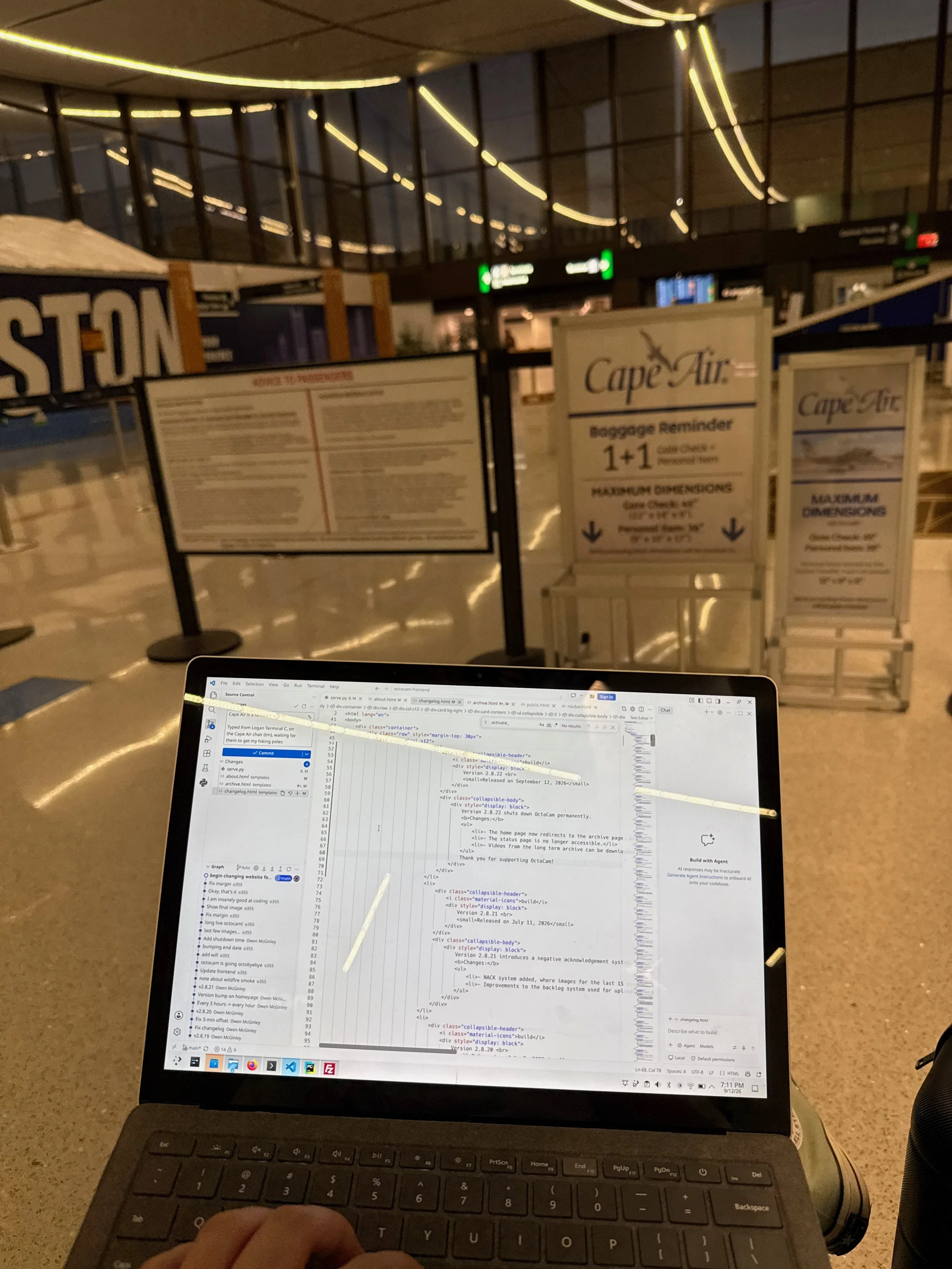
It’s not very often you get to sit in the Cape Air branded chair at Terminal C in Logan! And Squarespace still cannot size vertical images down to a reasonable size! Please do note that I do not code in light mode: it was on because I was next to a window at the gate and in those situations, I temporarily go into light mode for better contrast.
…I was pretty impressed at what this 6 year old laptop could do. It wasn’t as premium or zippy as my M3 MacBook Pro, but it was more than serviceable. I was able to modify the OctoCam website, do dev work on the MBTA Screen, have a Vite server in the background with HMR & test changes in Firefox, and use the full-fledged PyCharm IDE (which is notoriously heavy) for the OctoCam Backend without this laptop breaking too much of a sweat. Not a super heavy work session, but it was impressive to see five apps open, 2 of them being IDEs, and htop reporting 6/8 GB of RAM used (with about 1.5 GB in swap) and no random system processes consuming CPU time. I wouldn’t want to try doing this on Windows to be quite frank…
Surface Laptops have incredible hardware and I love the 3:2 aspect ratio. It’s just a bummer that they have to run Windows out of the box, because Windows 11 on this thing is sluggish, awful, painful, and a nightmare. Trust me, this laptop was the travel laptop for when I was testing Lesburu Analytics a few years ago, and it was such a pain to have to wait for Windows to boot up, then open Firefox, then get on the internet, then drain half the battery in an hour for updates on the hotspot, you get the gist. I’m also lucky here because this is an older Surface Laptop (and the Intel SL3 at that) so most device drivers are present at first boot, including Wi-Fi and keyboard, to make installing linux-surface easier. I had an issue with iptsd not working (and causing the laptop to not go into sleep), so I uninstalled that when I got home and single-point touch started working. Perfectly fine with me, I find laptop touchscreens a novelty anyway.
Sure, newer Surface Laptops will run Windows a lot better…for now. KDE Neon, and Linux for that matter, really just gets out of the way and let you do your work. It’s also quite zippy for a half-decade old laptop with not the most powerful chip ever. It reminds me of how computers use to be 10 years ago when I started coding. It really reminded me of how I put KDE Neon on my XPS 13 9360 (from 2017!) and daily-drove it on Linux for almost 3 years in high school. To this day, I consider that my best computing experience.
Anyway, I’m switching over all my spare laptops to KDE Neon - if anything for the fact that when you pull these laptops out of storage, I can start using them in 60 seconds and be up-to-date in 20 minutes. I might try Bazzite on the spare gaming laptop that has a GTX 1650 Ti since Linux gaming has matured quite well recently. And for my upcoming trip abroad, I would only bring my Surface Laptop 3…if I didn’t have a mountain of evidence to label for Guinness World Records on my Mac.