In December, I built a LEGO Eiffel Tower in my apartment and installed a Brickstuff light kit on it. This light kit is extremely impressive by light kit standards - with 500+ LEDs and full Wi-Fi control via WLED.
But…I wanted to really make this LEGO Eiffel Tower light up like the real thing. At sunset every day, sparkle every hour, and turn off at 12 AM (or 1 AM in the summer), just like the actual tower in Paris. Well, 6 hours behind.
Eiffel Tower Control is basically a smart cronjob system on steroids. Going against a known schedule for how the real Eiffel Tower operates (which is cross-referenced against the official Eiffel Tower website), it generates lighting jobs based on sunset time and if the tower stays open late, along with special presets for specific days, some based on the real tower, some based on my own imagination. This list of jobs is generated every morning, and then ran throughout the night. All jobs call the WLED HTTP API with premade presets on the tower.
Since Eiffel Tower Control was originally made, I mapped the LEGO Eiffel Tower into 16 segments for greater control, choreographed a real Eiffel Tower lights off sequence using reference data from my videos and webcams online, and with the help of Claude, made a custom usermod for an Eiffel Tower sparkling effect that’s about as realistic as I can get it.
It’s a wonderful project that seamlessly controls the centerpiece of my apartment.
—
Timeframe: December 2025 - present
Eiffel Tower Control begins with a simple UI made in React and Mantine. The frontend is largely the work of Gemini & Claude Code, as at the end of 2025, I had done enough frontends by hand for the year (and the frontend is private anyway).
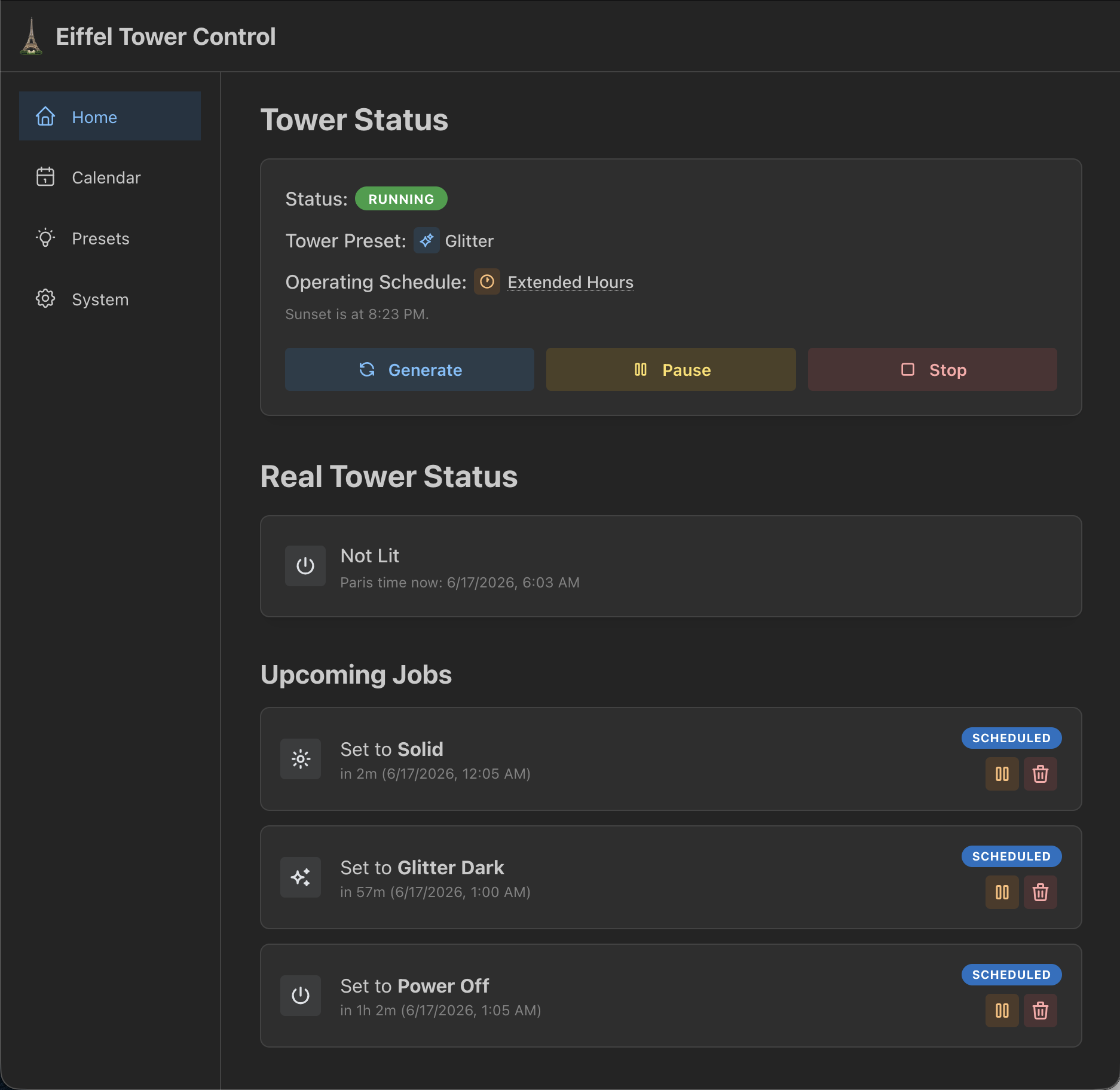
On the homepage is quick information about the cronjob system status. The first box shows the current status of the tower - if the system is actually running, the current preset, and the applied schedule. Below that is a neat feature that attempts to extrapolate what the real Eiffel Tower is doing, based around locally calculated sunset times and extrapolating the cronjob list for the night.
Below that is a list of upcoming jobs for the night that are yet to be executed, sorted by chronological order. Each job has a button to pause the cronjob (or resume if paused), and delete the job. If a job is paused at execution time, the system will not tell the Eiffel Tower to go into a specific preset at that time.
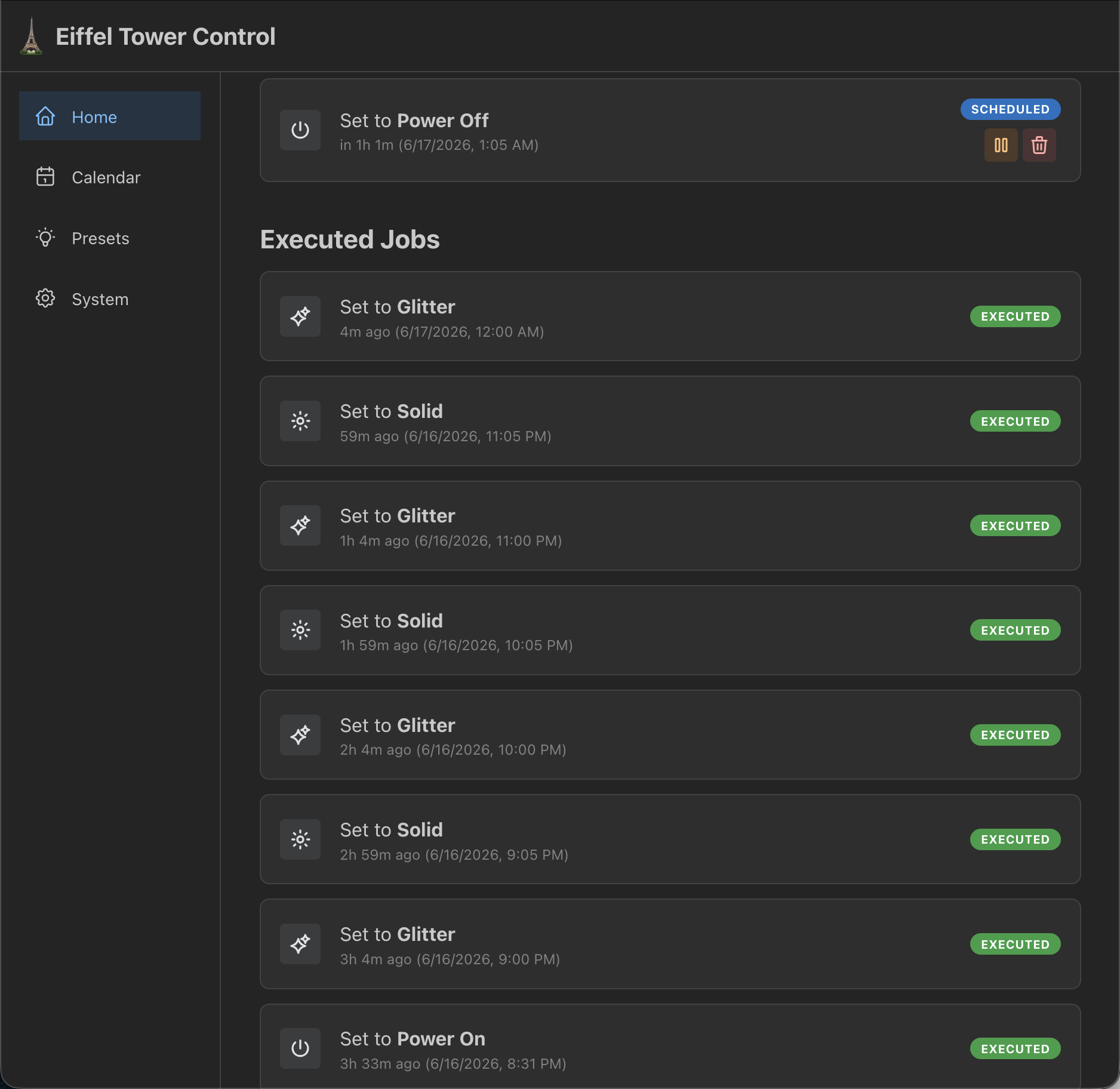
Scrolling further down, all completed jobs for the evening are listed and their execution status. The badge will change if a job was paused at execution time, if it failed outright, etc.
On the backend, there are two time fields for each job: when the job was scheduled for, and when it was actually executed. Completed jobs use the latter time on the UI.
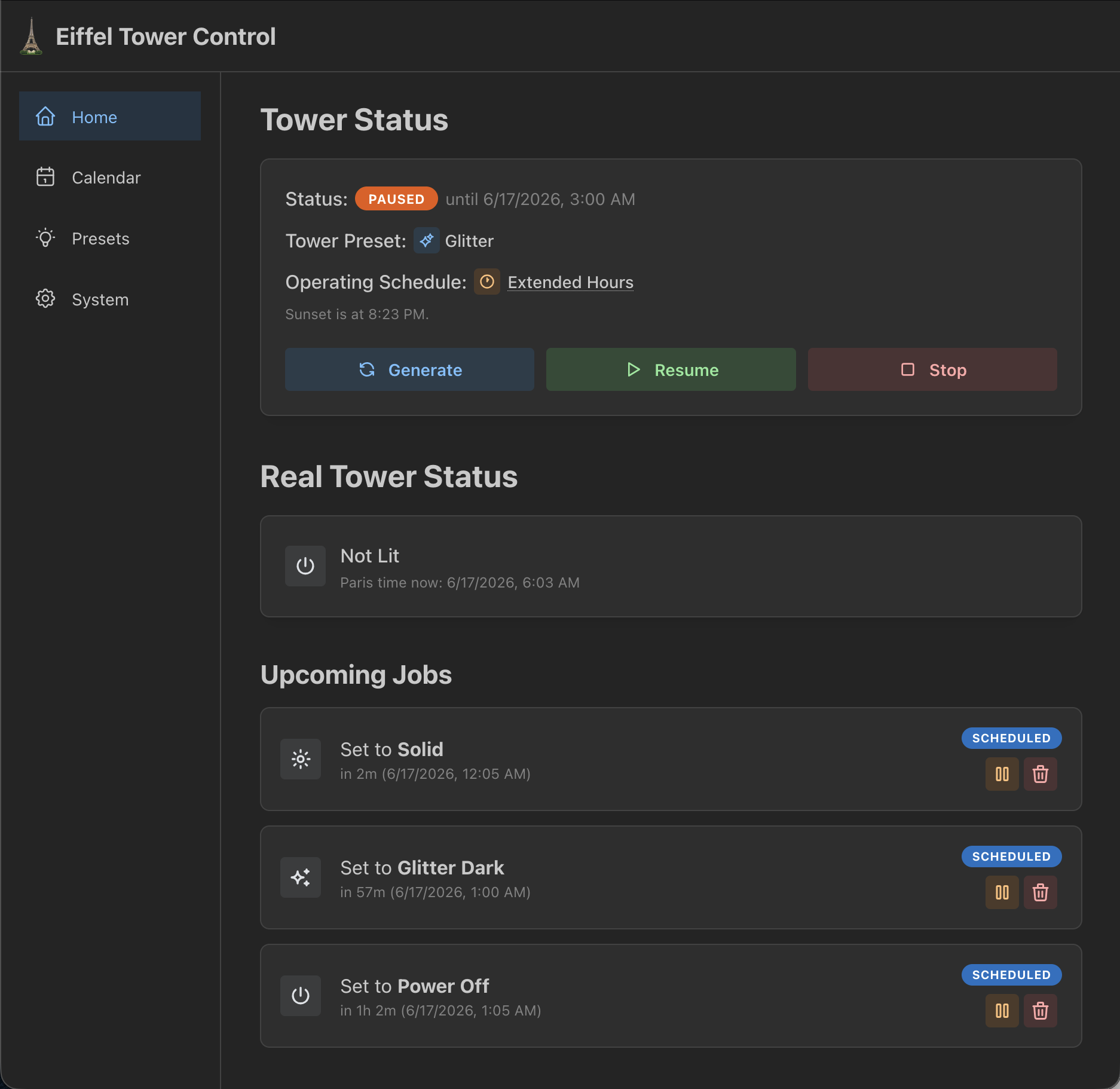
The tower status page has two buttons to either pause or stop the entire Eiffel Tower lighting system. Pausing makes it so that no more jobs are executed until unpaused, or when the pause resets at 3 AM (which is when the job list is generated).
This is very useful for when I’m doing debugging work on the tower and don’t want Eiffel Tower Control to get in my way. It’s also useful for when a guest is staying over and need to have the tower stay off at night - I can turn it off via WLED, pause Eiffel Tower Control, and it won’t come on for the rest of the night, but it’ll pick right back up the next morning.
Stopping the system does what pause does - but it prevents generation of new jobs each morning. I was intending to use this for when I was on vacation to save power…but I keep my windows open and I’d like to think my neighbors across the street enjoy seeing the Eiffel Tower light up. So it doesn’t get used much.
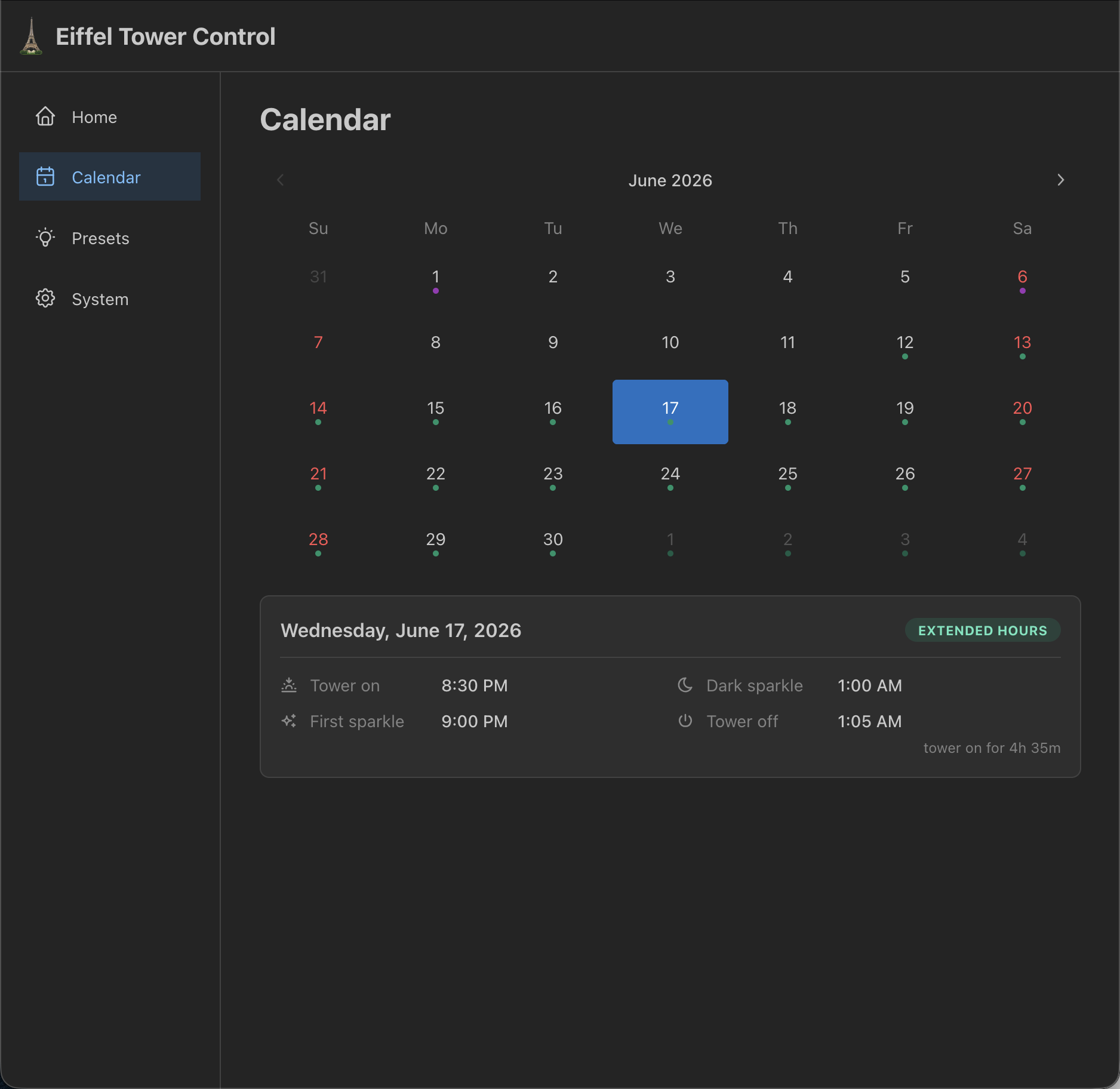
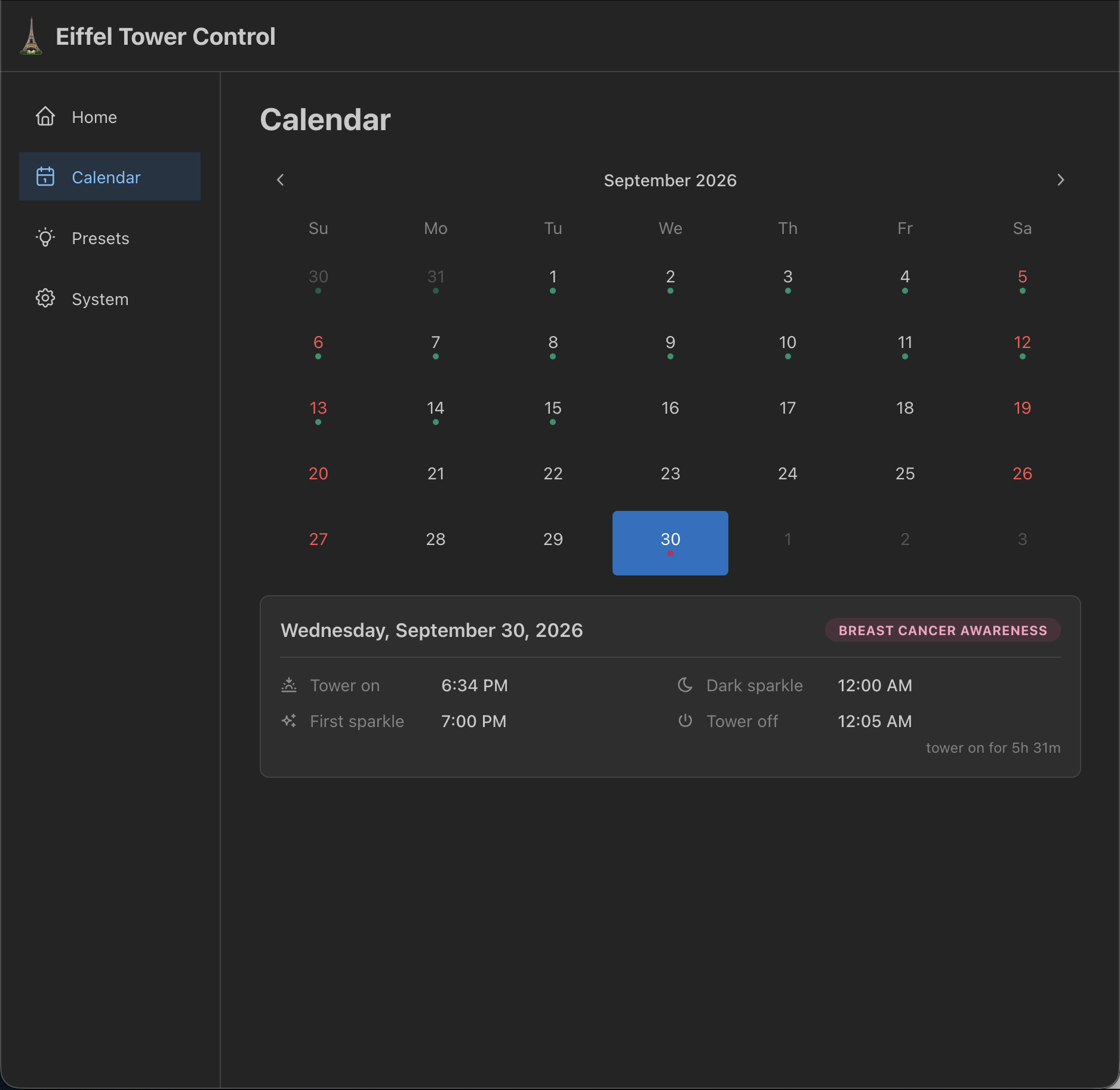
A fun feature I added just a bit ago is a Calendar page, which allows me to easily see how the Eiffel Tower will light up on any given night. Each morning, 1 year of data is generated for sunset times (using the Skyfield library), along with which schedule is used for each day. Since the schedules only have a few deviations of when the tower will turn off and run a final dark sparkle, it’s a pretty easy implementation on the frontend.
You can click around the calendar, switch between months, and for any day, click on the day to see a detailed pane with the tower on time, first sparkle, dark sparkle, and power off. This pane also shows how long the tower is on, and if a special schedule is in use. The dots below each date indicate the schedule type as well.
For instance - on the last day of September each month, the real Eiffel Tower lights up all pink for Breast Cancer Awareness Month. That is emulated on the LEGO Eiffel Tower, and the badge in the corner is pink to match, along with the dot on the calendar.
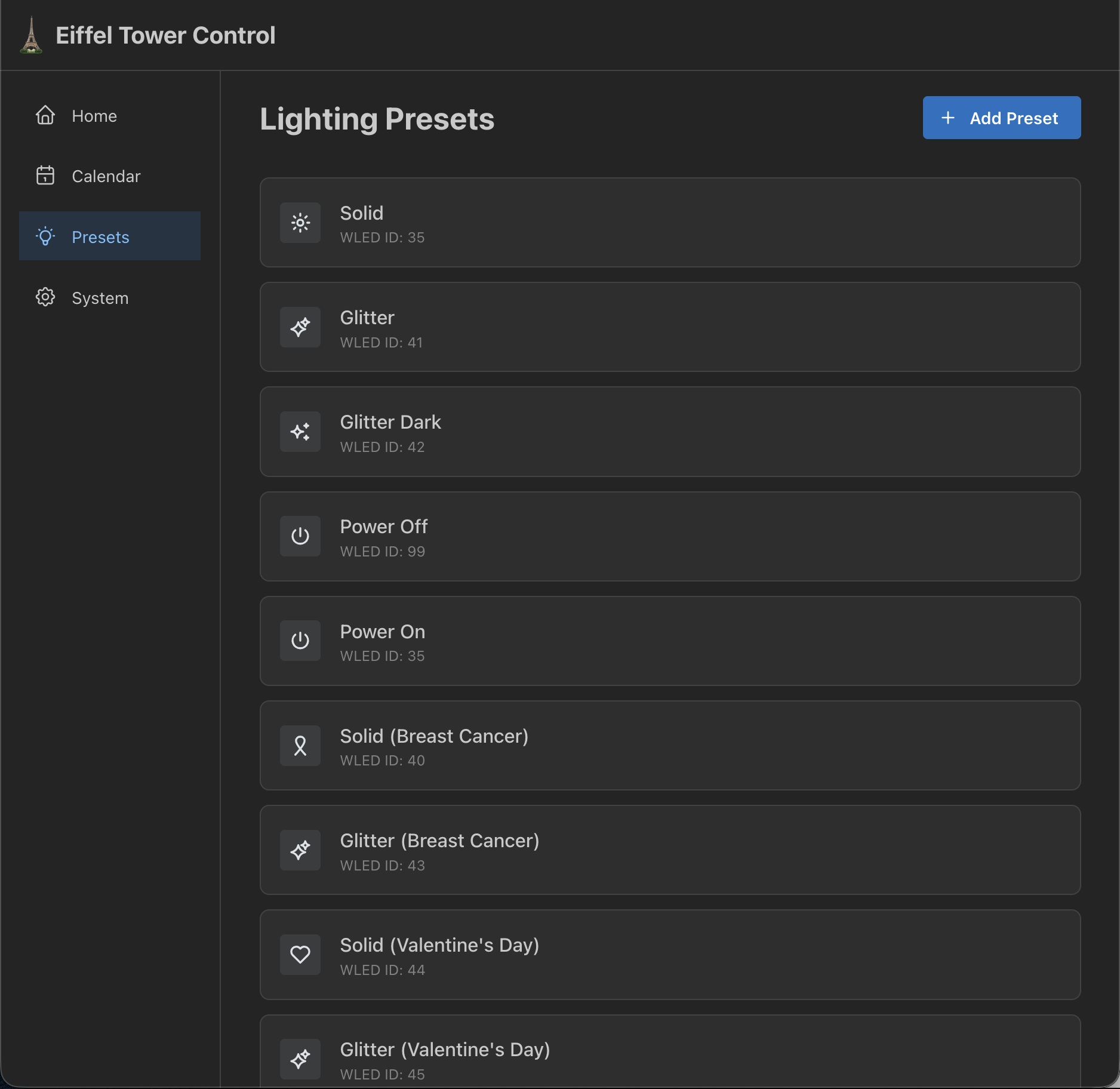
Next up is the lighting presets page. This page doesn’t get much use as it basically lists all the system presets, and in theory allows me to create a custom preset entry to map a WLED preset into Eiffel Tower Control. Unfortunately, this gets almost zero use, so, I guess it’s just a nice way to see all the profiles?
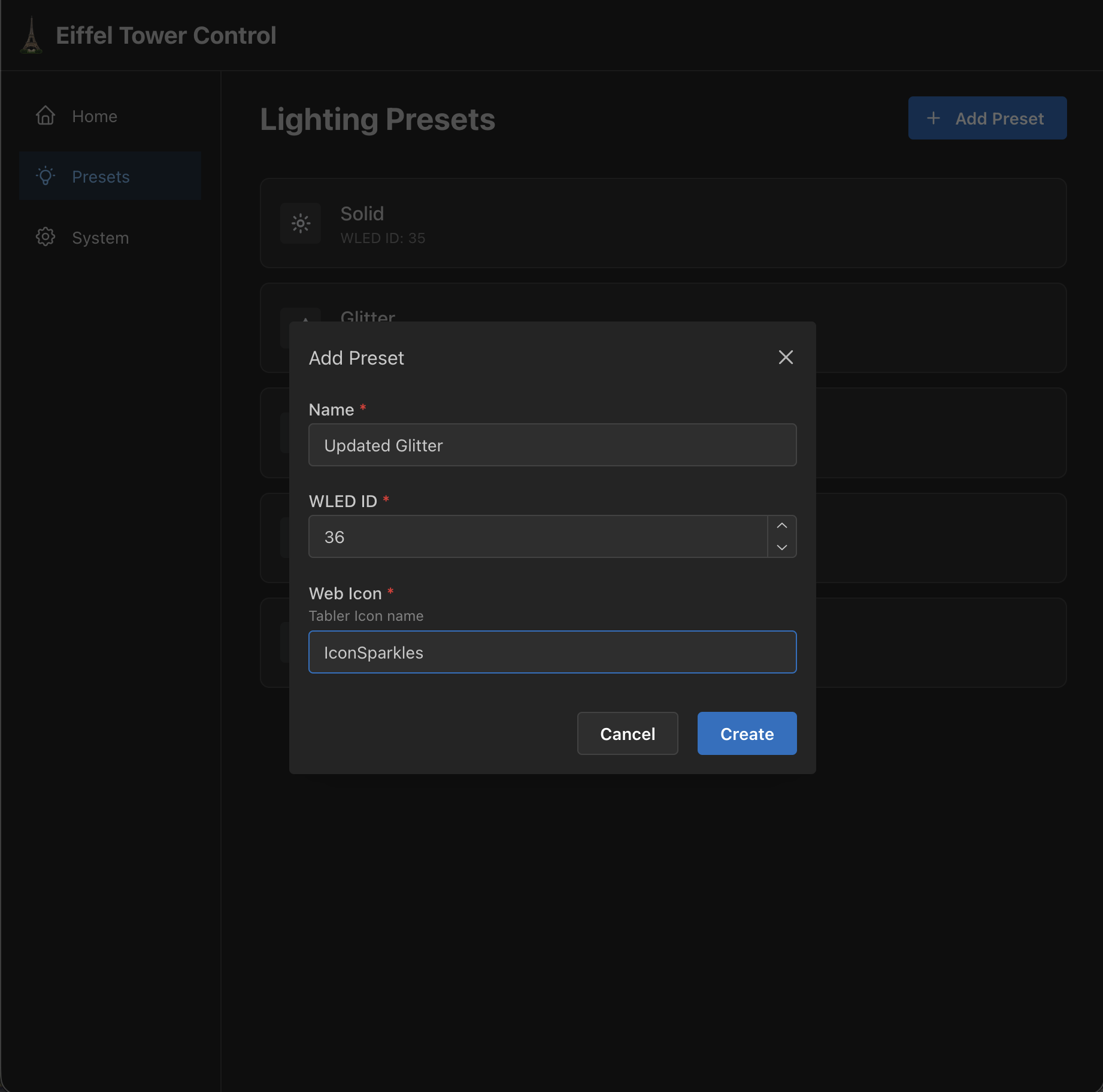
This is what the modal looks like to add a new preset.
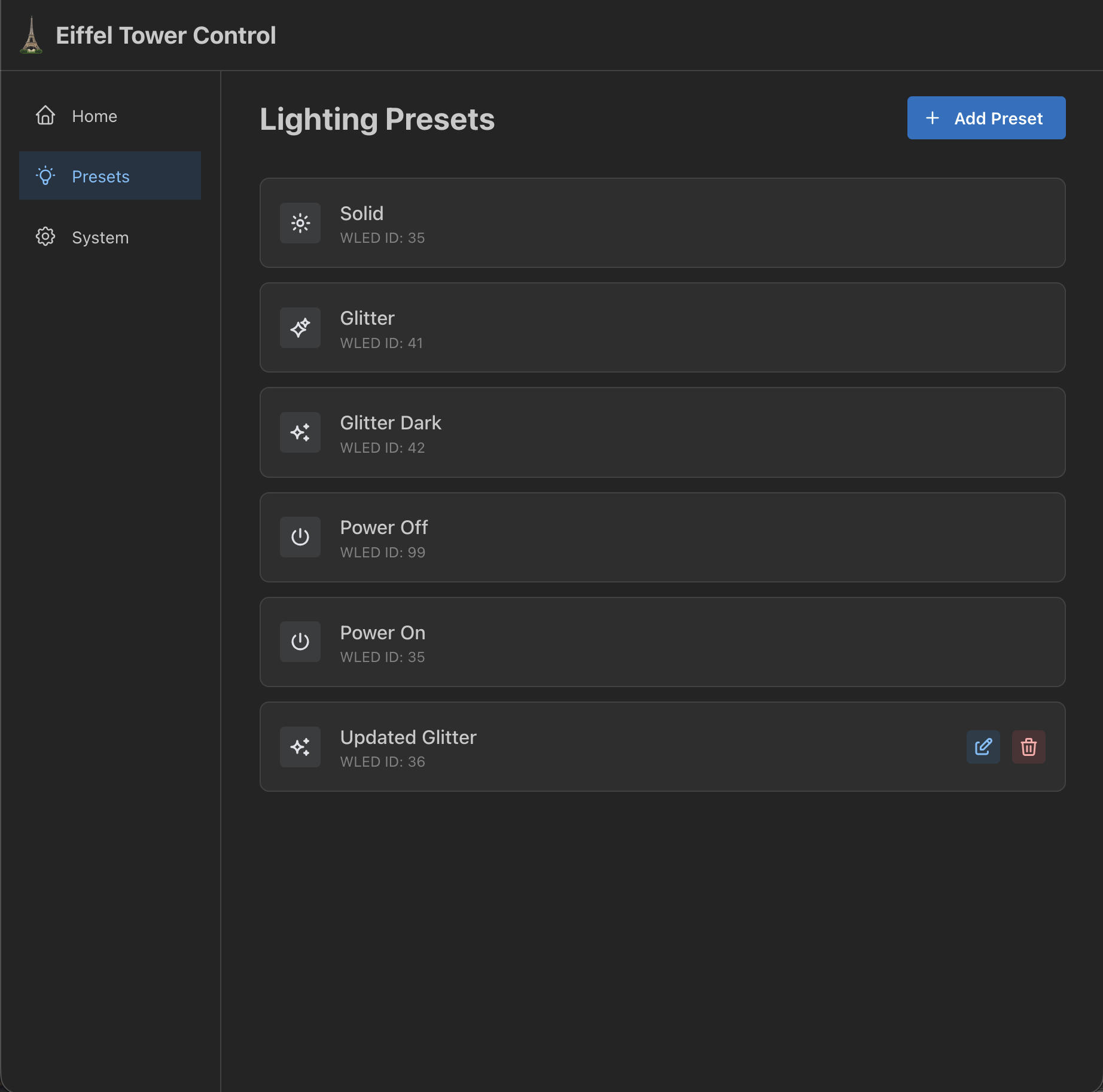
For any presets that are non system presets, edit & delete buttons will appear next to the preset. The edit modal is very similar to the create preset modal.
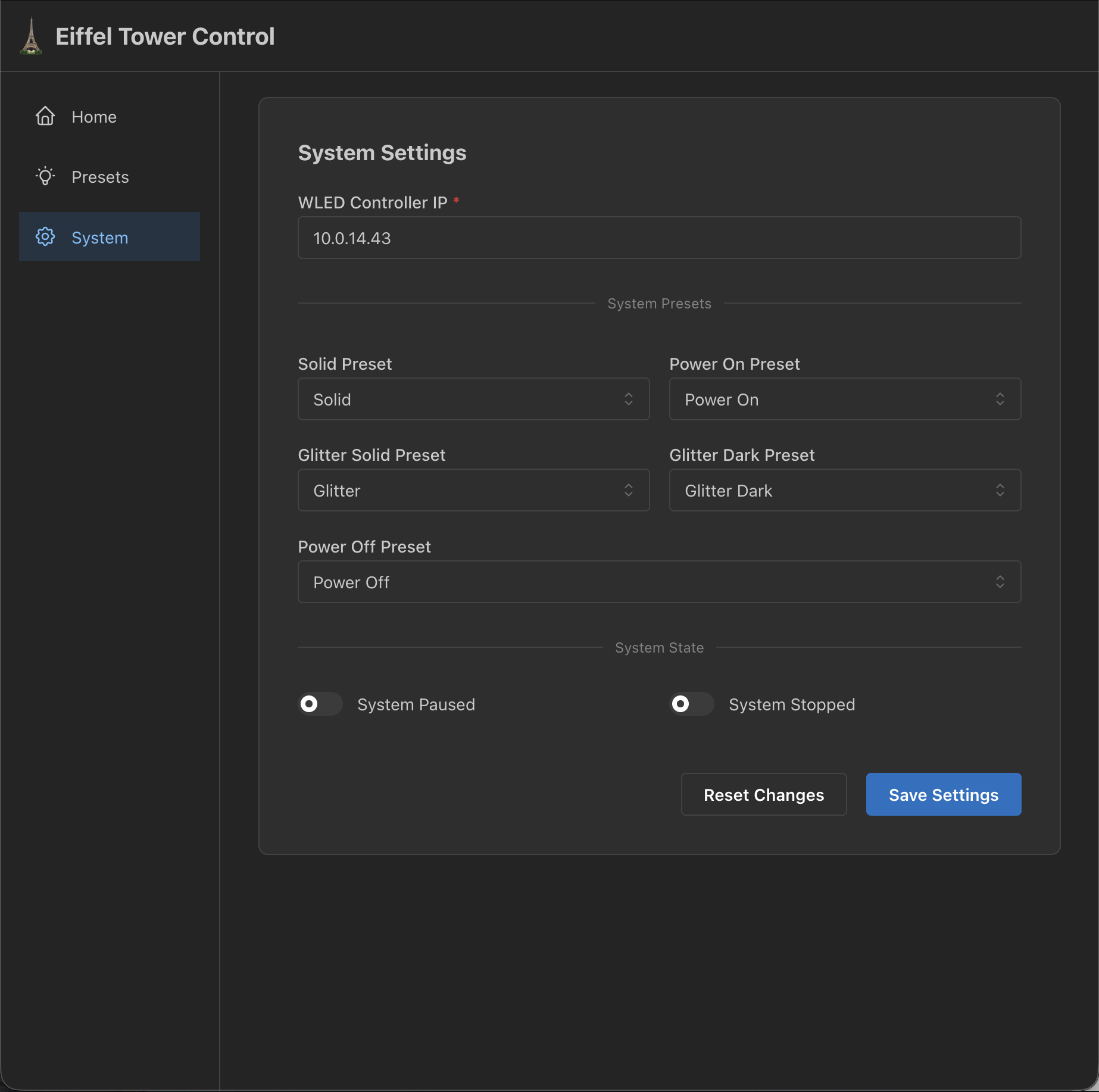
Finally, this is the system settings page. This is where stuff like the presets used for lighting effects can be configured, the WLED controller IP, and also has controls for system state as well. I’m showing an older screenshot because system settings is now incredibly long, with each schedule having its own solid/sparkle preset. It’s gotten quite unwieldy, but just like the presets page, this is never used!
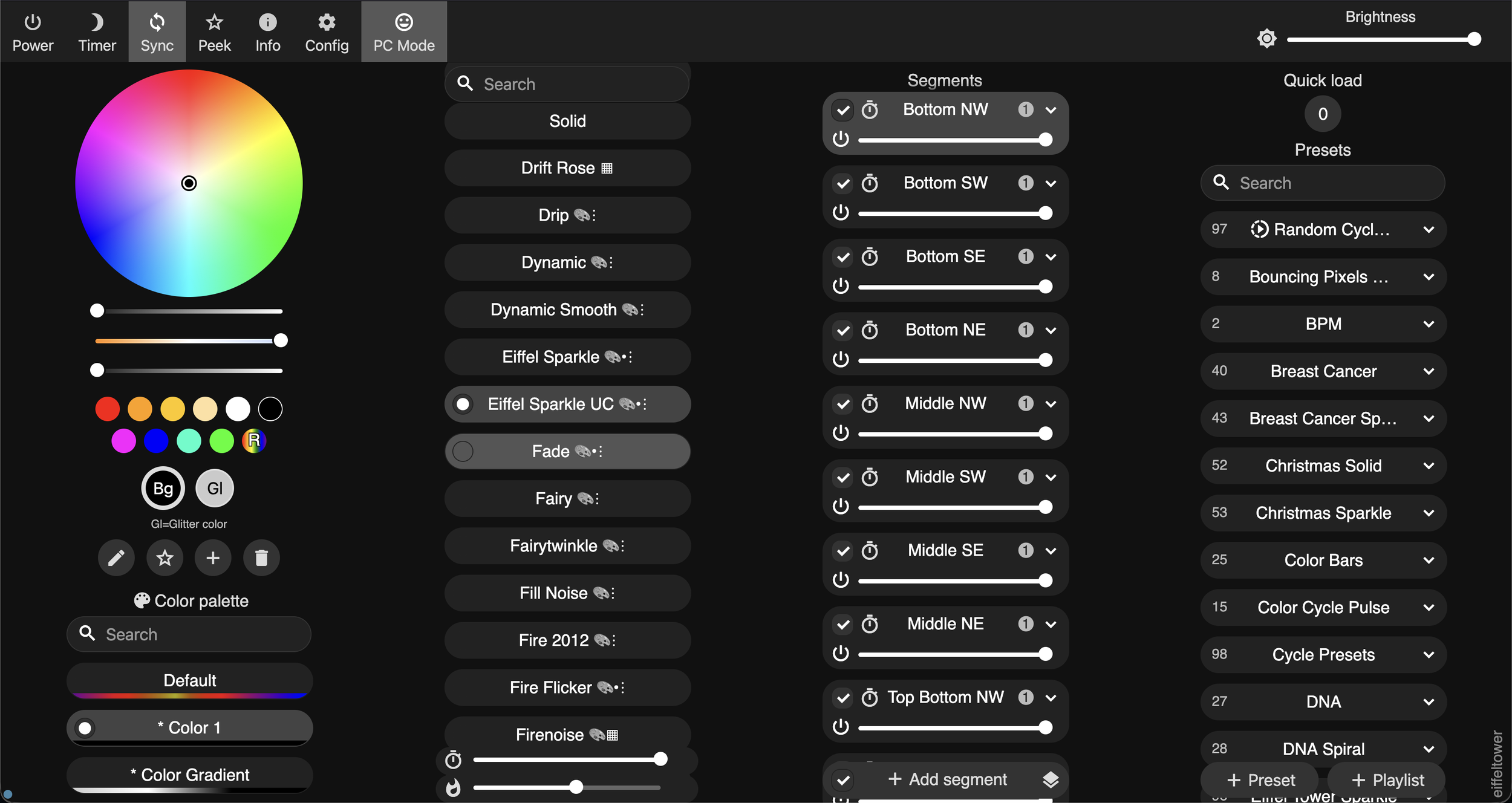
Later in the development of Eiffel Tower Control, I consulted the help of Claude to make a custom usermod for WLED to have my own Eiffel Tower Sparkle effect.
I found that the existing sparkle presets in WLED, while good, weren’t great. Most notably - in WLED, any pixel is able to be lit up again after being called for a sparkle, which is not realistic to the actual Eiffel Tower. I also found that it produced a less chaotic sparkle effect.
The custom Eiffel Sparkle effect - in a UC version (uncapped) and normal version (capped) run the sparkle effect. UC is used as the normal version always keeps 1 LED lit per segment, uncapped allows the entire segment to go dark if needed. The effect ensures that for each LED, there is a cooldown period where it cannot light up, as configured, this is 10 frames (at ~49 fps, about 0.2 seconds) - in addition to a variance window which controls how far the active LED count can drift from the target count of what’s to be lit up.
I must be honest - the usermod is borderline vibe coded, but it was fun to go through the motions of trying to get the LEGO Eiffel Tower. With 503 LEDs…there’s only so much you can do though, and the ESP32-C3 on the Brickstuff board is underpowered. It makes me wish they put a full fat ESP32-S3. But alas, the usermod makes a slight improvement and at least helps with the randomization and cutting down on repetitive sparkle behavior in the default sparkle presets.
Anyway…that’s Eiffel Tower Control!